Quick tips
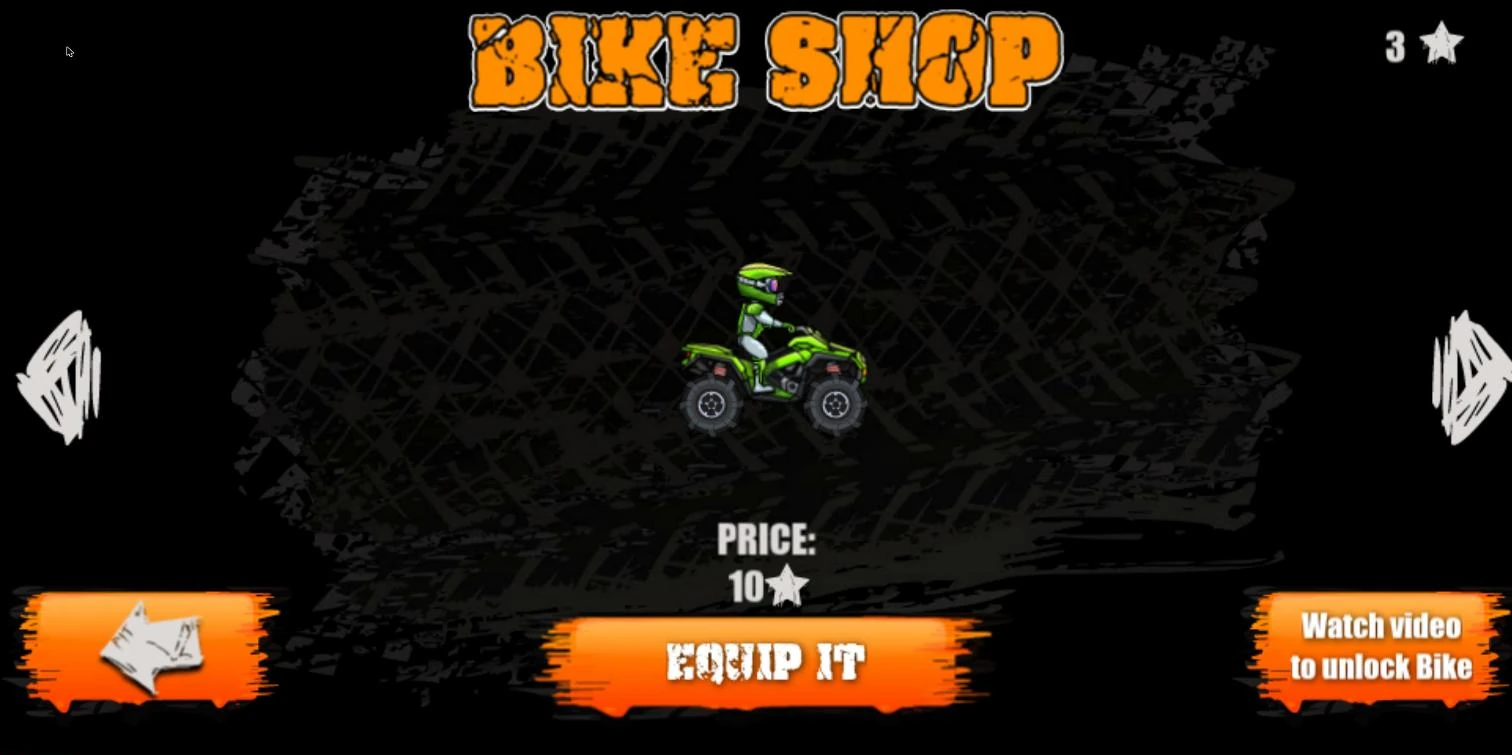
- The first bike comes early. The green quad costs 10 stars, and four levels can be enough to afford it.
- Do not wait for stats. The shop shows a picture and a price for each bike, and nothing about speed or grip.
- Stars come from time. Each level pays up to three stars, and the faster you finish, the more stars you get.
- Ignore bike lists for the app. Moto X3M Bike Race Game on the app stores is a different game from a different developer.
Bike Shop at a glance
| Item | Detail |
|---|---|
| Bikes | 8: one free starter bike and seven to unlock |
| Prices | 10 to 70 stars, in steps of 10 |
| Currency | Stars earned by finishing levels quickly, up to three per level |
| Where | Motorbike icon on the title screen or at the top left of the level map |
| Stats shown | None: the shop shows a picture and a price for each bike |
Every bike and its price
| Bike | Price | Rider and look |
|---|---|---|
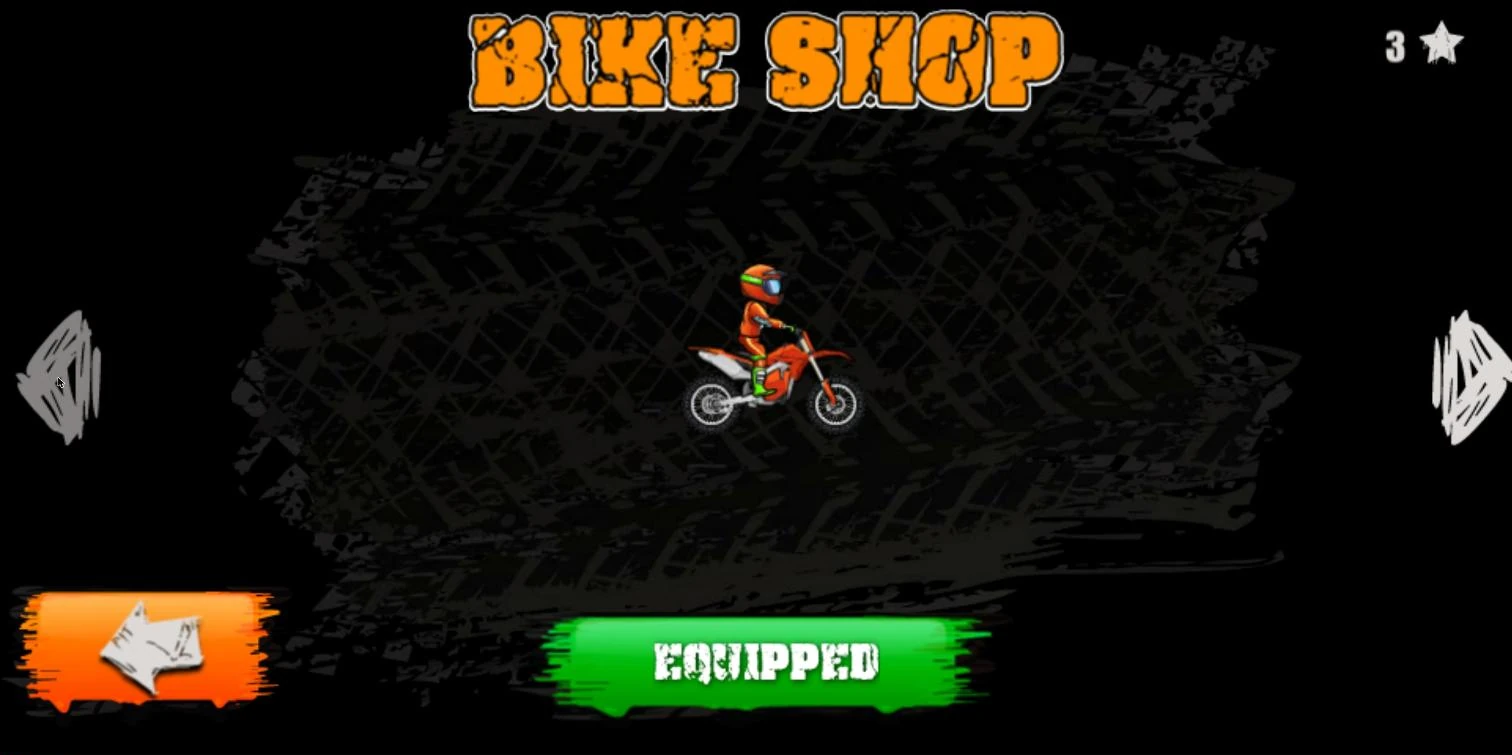
| Red dirt bike | Free, equipped from the start | The default rider |
| Green quad | 10 stars | A four-wheeled quad bike |
| Red sport bike | 20 stars | A red sport bike |
| Green dirt bike | 30 stars | A green dirt bike |
| Black bike | 40 stars | Rider whose head is on fire |
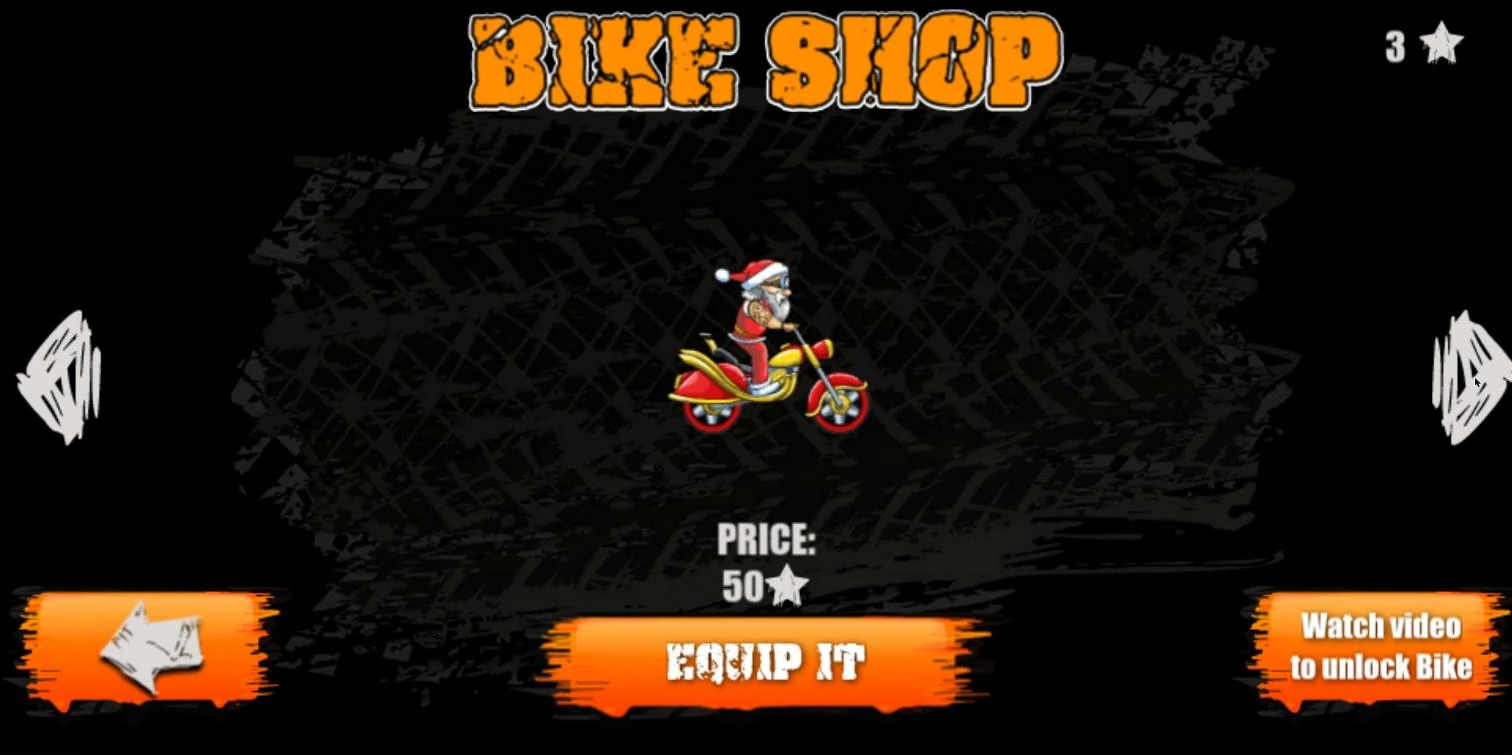
| Santa bike | 50 stars | Santa Claus rider on a red and gold bike |
| Pink bike | 60 stars | Rider on a pink bike |
| Red mini bike | 70 stars | A small red bike |
The names in the table describe how each bike looks in the shop; the prices are the ones printed under each bike. The same eight bikes at the same prices appear in every version of the shop described on this page.
How many levels each bike takes
Each level pays at most three stars, so the price of a bike also tells you how many levels you need to finish before you can afford it. The table shows the fewest levels at a perfect three stars each; at two stars a level it takes more, 5 levels for the quad and 35 for the red mini bike.
| Bike | Price | Fewest levels at 3 stars each |
|---|---|---|
| Green quad | 10 stars | 4 |
| Red sport bike | 20 stars | 7 |
| Green dirt bike | 30 stars | 10 |
| Black bike | 40 stars | 14 |
| Santa bike | 50 stars | 17 |
| Pink bike | 60 stars | 20 |
| Red mini bike | 70 stars | 24 |
These counts are for each bike on its own, before you have bought anything.
How to unlock bikes
- Finish levels to collect stars. Each level gives up to three stars depending on your time, and your total appears at the top left of the level map and at the top right of the shop.
- Open the Bike Shop from the motorbike icon on the title screen or at the top left of the level map. The results screen after a level also has a CHANGE BIKE button.
- Use the arrows at the sides to move through the bikes. Each bike you have not bought shows “PRICE” with its cost in stars and an “EQUIP IT” button.
- Spend your stars on the bike you want and equip it.
Your stars stay in the same browser between visits, so you can collect them over several sessions. The shop also shows a “Watch video to unlock Bike” button next to the bikes.
Our take: which bike to save for
The shop gives you nothing to compare except the picture and the price. There is no speed, grip or handling figure for any bike, so there is no stat reason to hold out for the 70-star bike.
- Buy the green quad first. It is the cheapest unlock, and it comes early: we had 11 stars after the first four levels, enough for the 10-star quad.
- After that, buy for looks. With no numbers to go on, pick the rider you like seeing on screen.
- Work on your times, not your garage. Faster finishes earn more stars, and the shop shows nothing that makes one bike faster than another, so working on your lines and flips with the tricks guide is the surer way to raise your star count.
Bikes on other versions
The Coolmath Games version, 1.1.1, has no bike icon on its title screen. The mobile app called Moto X3M Bike Race Game is a separate product by another developer, and its bikes are not covered here. Version numbers and level counts are on Moto X3M versions.
The shop on this page applies to versions 1.4.6p, 1.5.6p and 1.5.7c of the game, though not every detail to all three, and stars carrying over between visits to versions 1.5.6p and 1.5.7c.
To earn the stars, start from the Moto X3M game page.
FAQ
What is the fastest bike in Moto X3M?
The Bike Shop shows no speed figures for any bike and does not mark any of them as fastest. Choose by looks, and spend your effort on faster lines and flips instead.
How many bikes are in Moto X3M?
Eight: one free bike and seven that cost 10 to 70 stars.
What do the different bikes do in Moto X3M?
The Bike Shop shows a picture and a price for each one, with no speed, grip or handling numbers, so the clear difference is how the bike and rider look. The cheapest unlock is a four-wheeled quad rather than a dirt bike.
Can you change your character in Moto X3M?
Yes, through the bikes. Some bikes come with their own rider, such as a rider whose head is on fire on the 40-star bike, Santa Claus on the 50-star bike and a girl rider on the pink 60-star bike.