Step 1: pick a category and its version
These are the main full-game categories on speedrun.com:
| Category | Version it uses | Timing |
|---|---|---|
| Any% PC/Web (CMG) | The 25-level Coolmath Games version, on PC or web | Real time, timer shown on screen |
| Any% PC/Web Poki.com (New) | The 50-level Poki version, on PC or web | Real time, timer shown on screen |
| Any% Mobile (New) | The 95-level version of the mobile app | Real time |
The CMG and Poki rules set the goal as beating the game as fast as possible, and both ask for milliseconds on all top-five runs.
Every level also has its own board, split into four categories by version: CMG (25 levels), Poki (50 levels), MC (the 22-level Miniclip version) and Mobile (the free version of the app; the paid app is not allowed). These runs are timed by in-game time. Further categories cover the 22-level version on the web or on an emulator, mobile runs split into level ranges (1–10, 11–35, 1–50 and 51–95), and Sum of Best Segments, which adds up a player’s single-level times and needs a time on every level.
Step 2: know the timing and proof rules
- Timing: full-game runs use real time, so your screen has to show a timer. Single-level runs use the in-game time, the clock at the top of the screen.
- Proof: every run is checked by moderators, and full-game runs need a video. On the single-level boards, the top three places need video and a screenshot is accepted below that; each level’s note asks for a screenshot and says video is better.
- Records: Moto X3M Guide does not copy record times onto this page, because they change whenever a new run is verified. To find one, open the game on speedrun.com, choose the level, then the category that matches your version.
Step 3: learn the game rules that move the clock
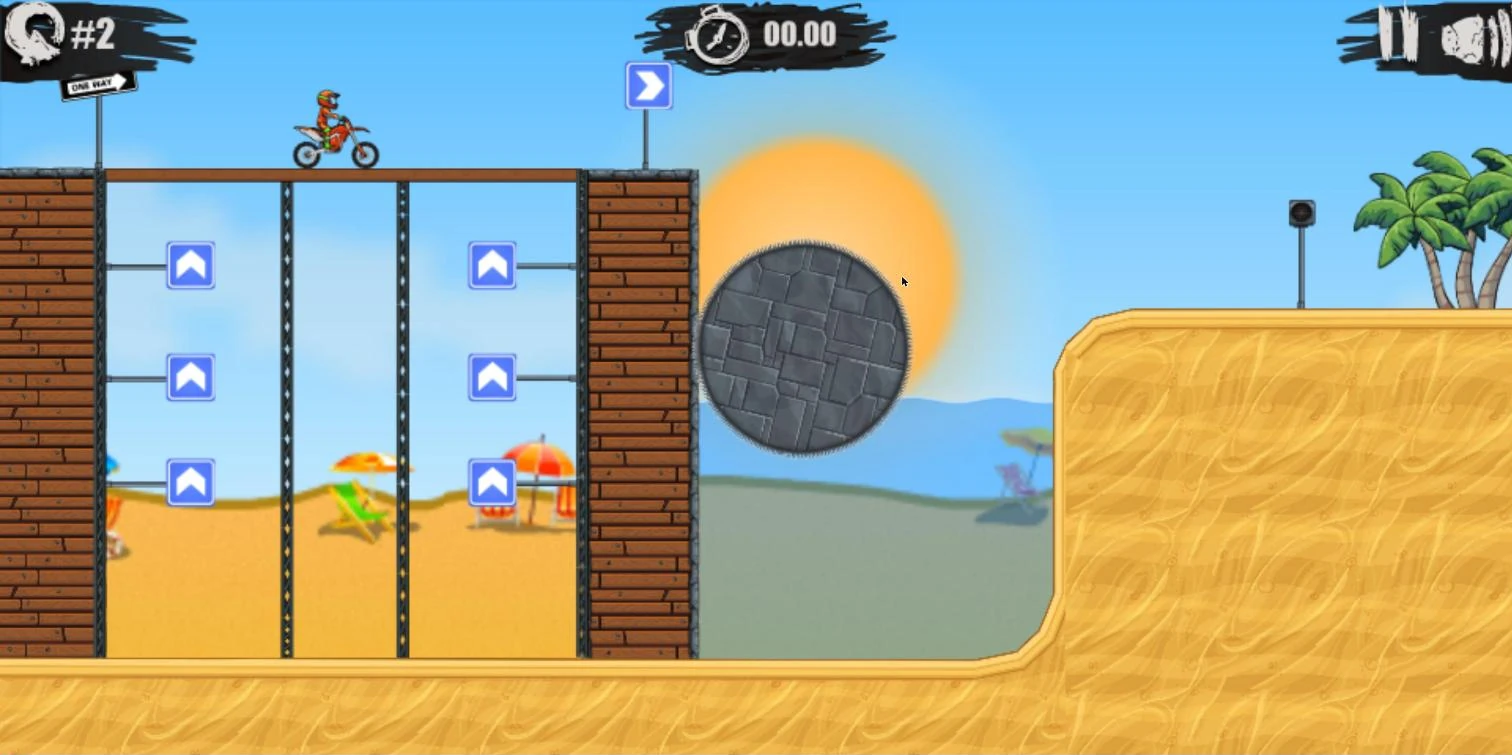
- The in-game timer waits for you. It reads 00.00 until the bike first moves, so you can look at the opening of a level before you start. The throttle is not the only key that starts it: a tilt with the right arrow does too.
- Each flip takes 0.5 seconds off. The game shows “FLIP -0.5 SEC” under the timer when a flip counts, and two flips in one jump count as one second. How to flip is on Moto X3M tricks.
- A crash after a checkpoint does not reset the clock. You come back at the checkpoint and the timer carries on from where it stopped.
- The restart icon does. The round arrow at the top left sends you back to the start of the level with the timer at 00.00.
A practice plan for your first single-level runs
Single levels are the easiest place to start, and the game prints a target for each one: the three-star limit on the results screen.
- Choose the board. Note the version number on your title screen and pick the single-level category that matches it, CMG for the 25-level version or Poki for the 50-level one.
- Beat the three-star limit on level 1. It is 13 seconds on the Poki version. Treat getting under it as your first goal before you submit a time.
- Move to levels 2 and 4. Their three-star limits on the Poki version are 14 and 19 seconds. Level 3 asks for 17 seconds.
- Restart, do not respawn. When an attempt goes wrong, use the round arrow icon so the next try starts at 00.00. Space after a checkpoint keeps the clock running, so the time lost in the crash stays in that attempt.
- Save your proof. The results screen shows your in-game time, and “NEW BEST TIME” when you beat your own record. Below the top three on a single-level board, a screenshot is accepted as proof.
The star limits printed on the results screens of the first four levels of the Poki version:
| Level | 1 star | 2 stars | 3 stars |
|---|---|---|---|
| 1 | 28 sec | 20 sec | 13 sec |
| 2 | 28 sec | 20 sec | 14 sec |
| 3 | 30 sec | not readable | 17 sec |
| 4 | 32 sec | 25 sec | 19 sec |
Pro tips for timed attempts
- Click the game before your first key. Without focus, Space may scroll the page or do nothing, and the arrows may not reach the game.
- Line up before you touch an arrow. Because a tilt also starts the in-game clock, adjusting the bike on the start line is already part of your time.
- Practise flips on the board you run. Each counted flip is 0.5 seconds off the in-game time, and two in one jump are 1 second.
Common mistakes
- Running the wrong version. A run on a 50-level version does not fit a 25-level category, and level layouts can differ between versions.
- No timer on screen for a full-game run. Full-game categories are timed in real time, so the timer has to be visible in your video.
- Treating a single-level time like a full run. Single-level boards use the in-game clock, which waits for your first move; full runs use real time, measured by your own on-screen timer.
Our take: where to start
Start with single levels on the version you already play. The boards use the in-game time, which waits for your first move, and below the top three a screenshot is enough, so a first entry needs no timer setup and no video editing. The tricks guide covers the flips that take time off a level.
For a first full-game run, the CMG category is the shorter route: 25 levels against 50 on the Poki category, on the same real-time rules. Sum of Best Segments comes last, because it needs a time on every single level first.
For the differences between versions, see Moto X3M versions; to practise, go to the Moto X3M game page.
The categories and rules on this page are as of October 2026 and can change when the moderators update them.
FAQ
What is the Moto X3M world record?
There is no single one. speedrun.com splits its boards by version category, CMG, Poki, Miniclip and mobile, for full-game runs and for single levels, and each board is ranked separately.
What is the world record for Moto X3M level 18?
Open the level 18 board on speedrun.com and choose the category for your version. The Coolmath, Poki, Miniclip and mobile categories each rank runs for the level separately, and the top time changes whenever a faster run is verified.